Split Panes
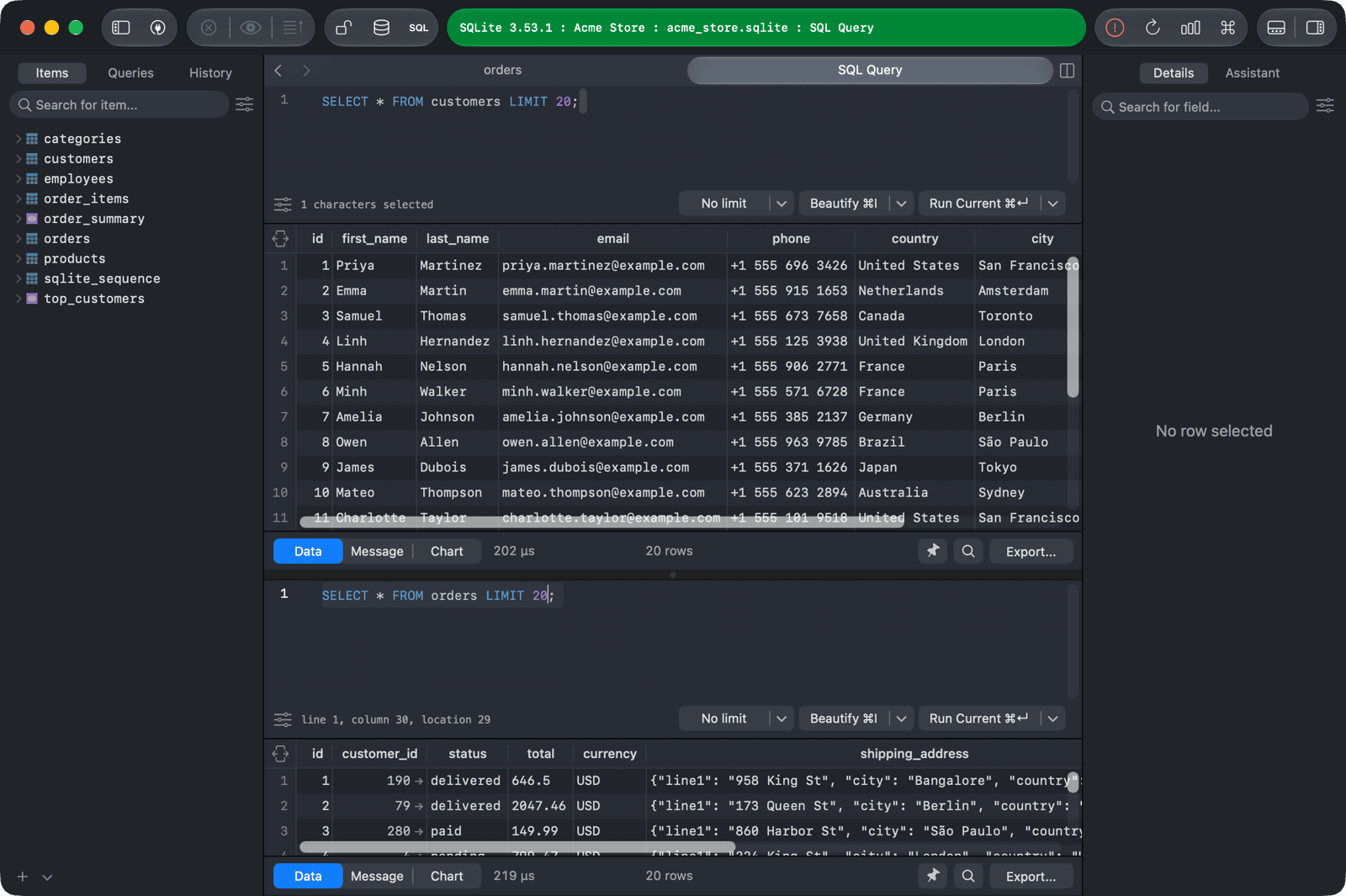
Split panes let you work on several queries side by side. Each pane has its own editor and results and runs independently.
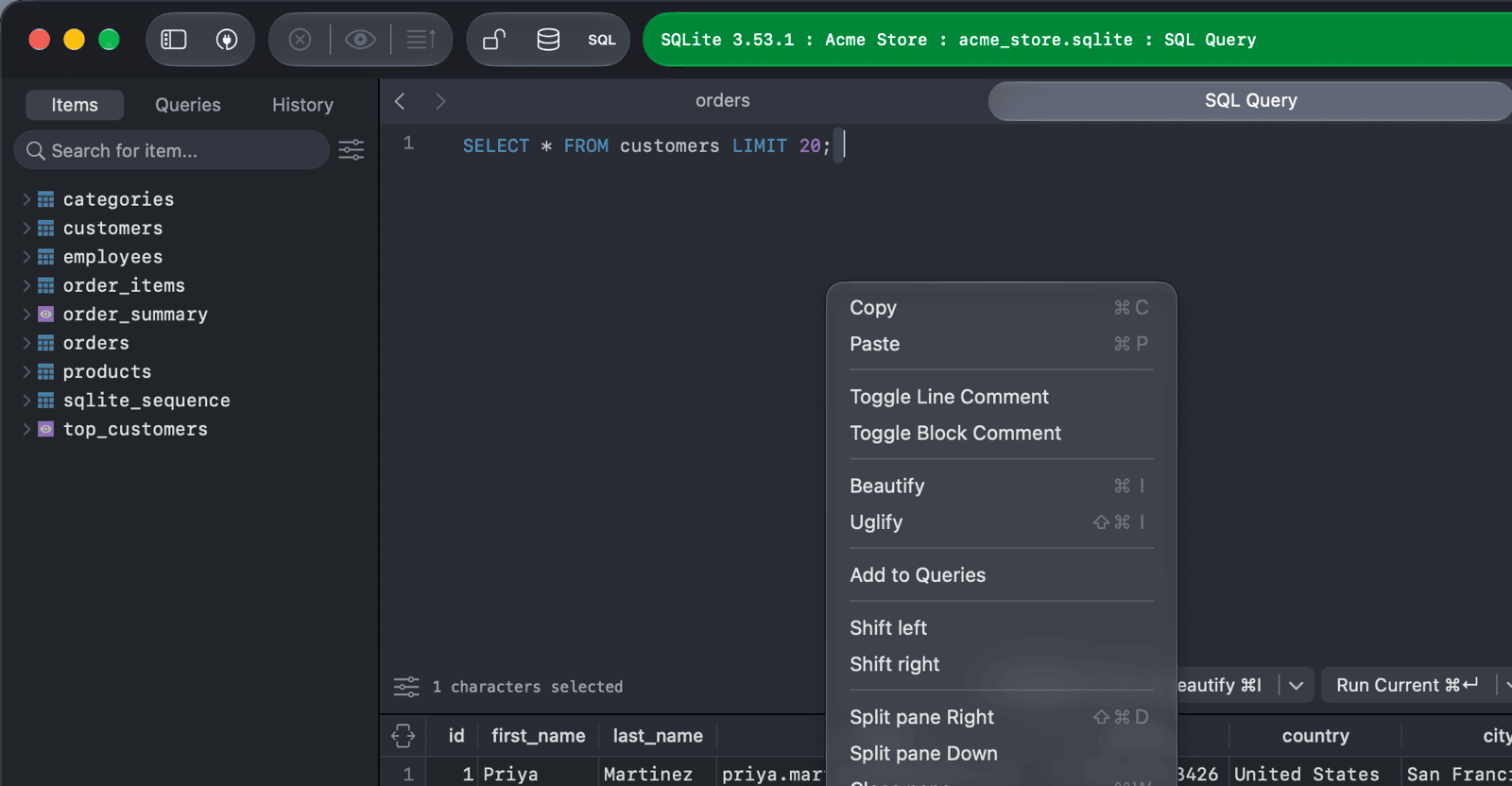
Right-click in the SQL editor and choose:
- Split pane Down: splits the current SQL editor tab into stacked editors, one above the other.
- Split pane Right (
⌘ + Shift + D): opens a new pane on the right side of the workspace. It has its own tabs, so you can also open a table or another SQL editor in it. This is also in the menu Navigate > Split Pane Right.
To move between panes, use Navigate > Select Next Pane (⌥ + ⌘ + ]) and Select Previous Pane (⌥ + ⌘ + [).
To close a pane, right-click its editor and choose Close pane.
To show or hide the results of the focused editor, use View > Toggle sidebars > Toggle Query Results Pane (⌃ + `).