Format query (beautify/minify/uglify)
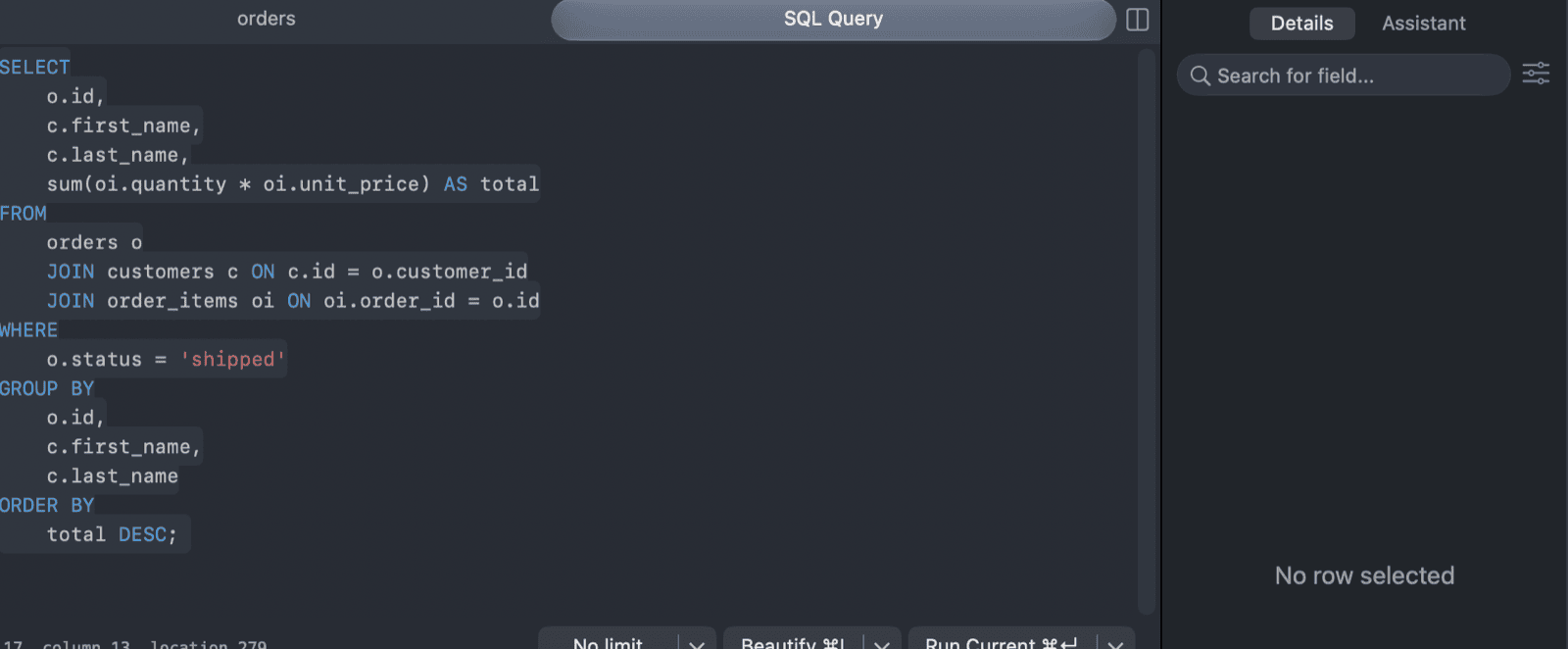
TablePlus has a built-in SQL formatter. Beautify reformats queries to make them easier to read, and Uglify compacts them (minify).
Both work on the selected text. If nothing is selected, they format the statement under the cursor. With multiple carets, each selection is formatted separately.
Beautify
Click Beautify on the bar at the bottom of the editor, or press ⌘ + I.1 It's also in the editor's right-click menu.
The formatter follows the SQL dialect of the current connection. Keywords are written in uppercase unless you turn off Automatically UPPERCASE keywords in Preferences > Editor.
Uglify
Click the arrow next to Beautify and choose Uglify, or press ⌘ + Shift + I.
Indentation options
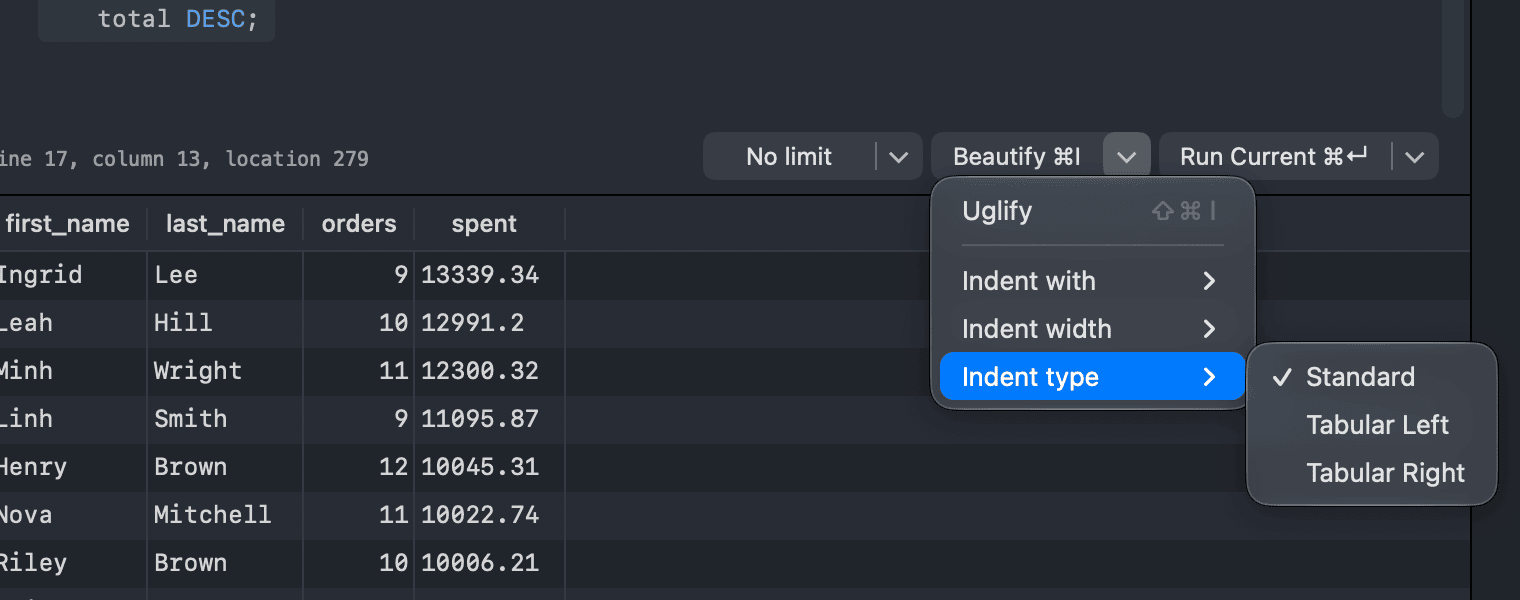
Click the arrow next to Beautify to change how Beautify indents queries:
- Indent with: Tab or Spaces.
- Indent width: 2, 4, 6 or 8.
- Indent type: Standard, Tabular Left or Tabular Right. The tabular styles align keywords in a column, to the left or to the right.
The same options are in Preferences > Editor.
Formatter plugins
You can also format queries with a plugin. Open Tools > Manage Plugins... (⌘ + L) to install one. The commands of installed plugins appear in the Tools menu. See Plugin.
-
On Windows and Linux, use
Ctrlinstead of⌘. ↩︎