1. Can't connect using the SSH Alias
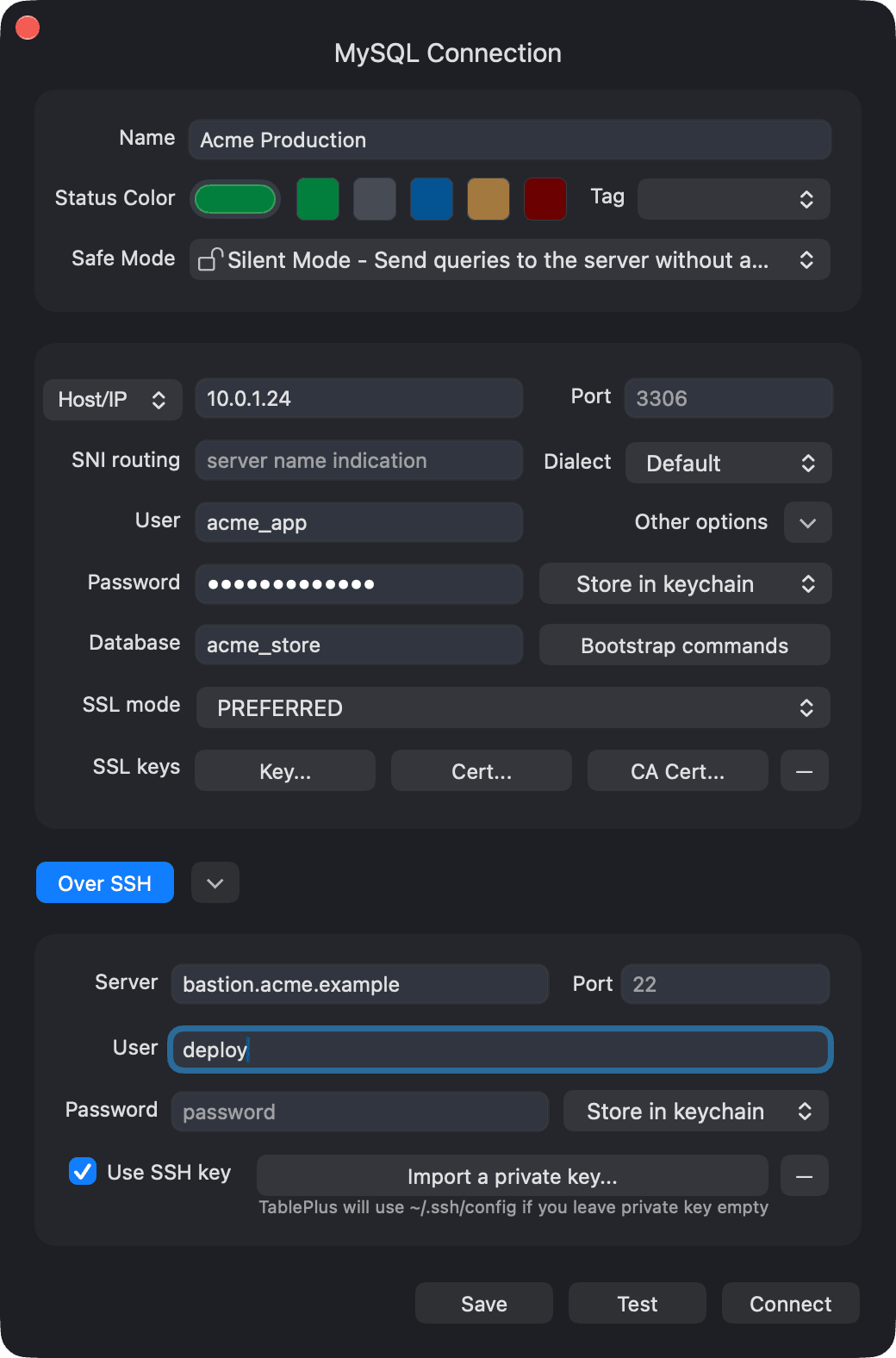
If you use the Ssh Config and cannot create a connection, make sure that you already ticked on the “Use SSH key” box. In this case, you don't need to import the key because TablePlus will use the SSH Config if the key is empty.
Without it, TablePlus will not read the SSH config and thus fails to create a connection.
2. TablePlus keeps asking for private SSH key password repeatedly
Issue #412 with steps to reproduce:
- Create a new connection and tunnel it through SSH.
- Import the private key.
- TablePlus repeatedly requests for the private key, saying "Please enter SSH private key password”.
Even though you entered the right key that you have been using normally with other tools, the popup keeps appearing in TablePlus after multiple attempts to import.
This is a known issue and we are investigating it. If you happened to encounter this issue, please enable the SSH debug log by navigating to the menu Help > Enable SSH & Bash Script Log.
(If you can't find this option from your TablePlus app, please update it to the latest build, or turn on Receive Beta Updates in Preferences > General to get the beta build).
You will be prompted to open the SSH debug log
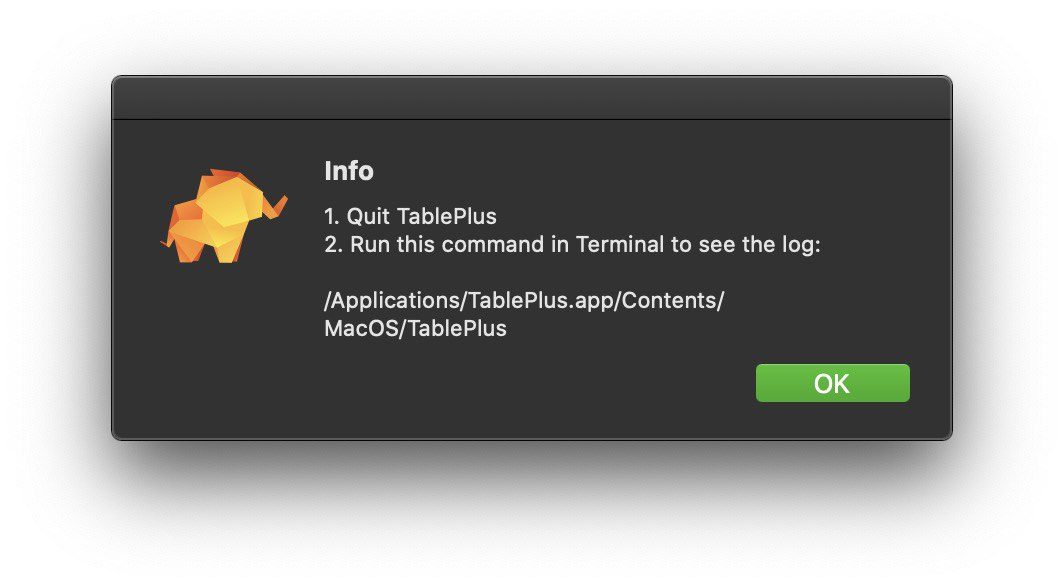
Follow the instruction to open the log. After that, please send the log to us via [email protected]. It will help us troubleshoot faster. Thanks!